
Servers that build themselves
A paid order becomes a running Linux or Windows server: installed, addressed, protected and ready for its first login. Sell it with an operating system, or let the customer choose one at first login.
Self-hosted control panel · Proxmox VE
CorePanel turns a Proxmox VE cluster into a hosting business. Linux and Windows servers that build themselves, a portal your customers run on their own, private networks, firewalls and backups that never need a reminder. Self-hosted on your hardware, connected to the billing you already use, installed with one command.
01Platform
Built on the Proxmox VE you already trust. CorePanel adds the automation, the customer experience and the guardrails that turn hardware into a product.
A paid order becomes a running Linux or Windows server: installed, addressed, protected and ready for its first login. Sell it with an operating system, or let the customer choose one at first login.
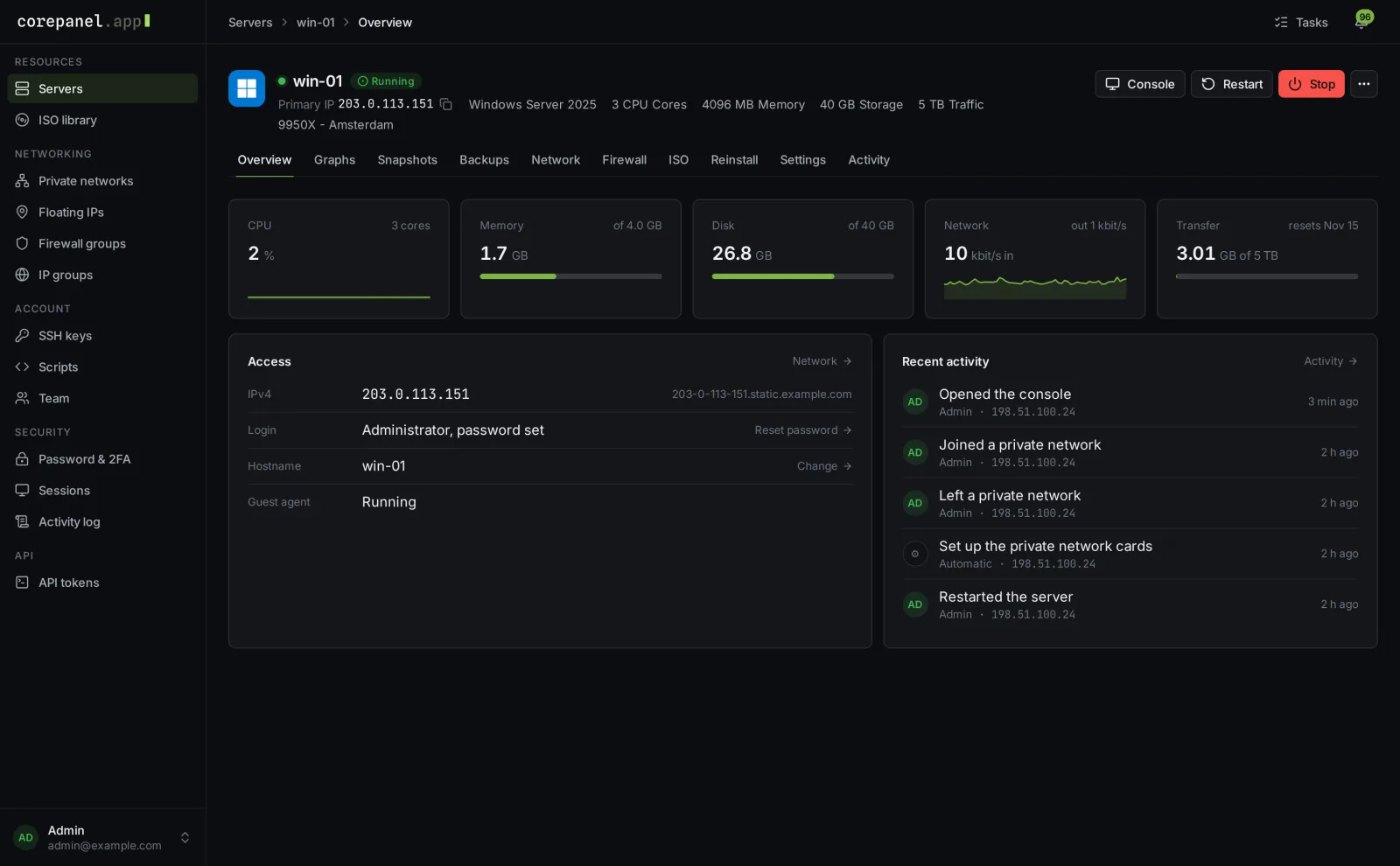
Reinstalls, password resets, snapshots, backups, their own ISO, rescue mode and live graphs. Everything a customer would open a ticket for is a click away, and none of your infrastructure ever shows.
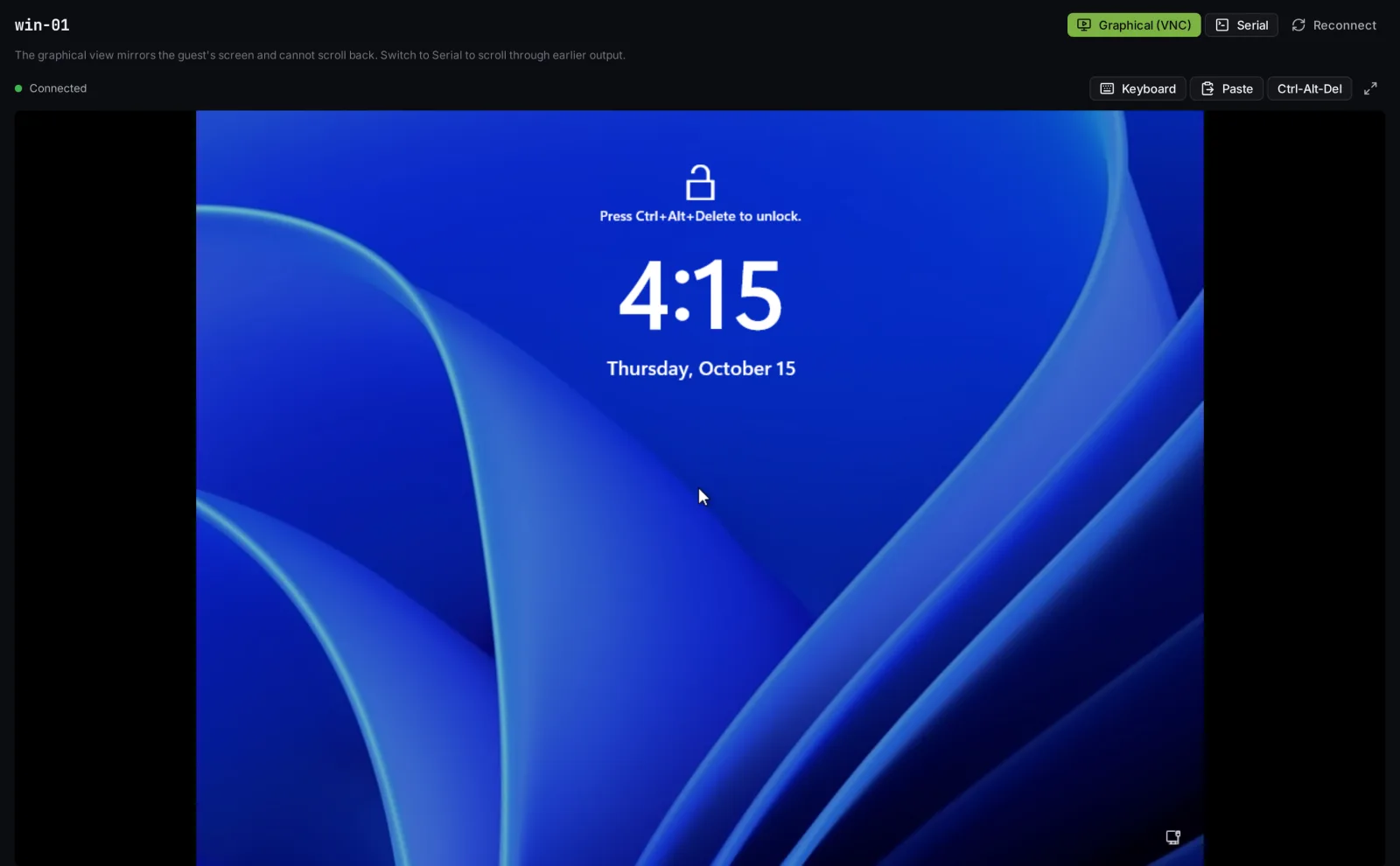
When a customer locks themselves out, they open a real console and fix it. Graphical or text, on your own domain, with your hypervisors kept out of sight.
Pick a plan once and every server on it is backed up on schedule, with as much history as you decide. Customers restore a whole server or grab a single file themselves.
Your customers invite their colleagues, decide what each one may do and which servers they see. Every action is recorded under the name of the person who did it.
Press start and watch it start. Status, gauges and progress update the moment something happens, and an open tab moves to a new panel version on its own after you update.
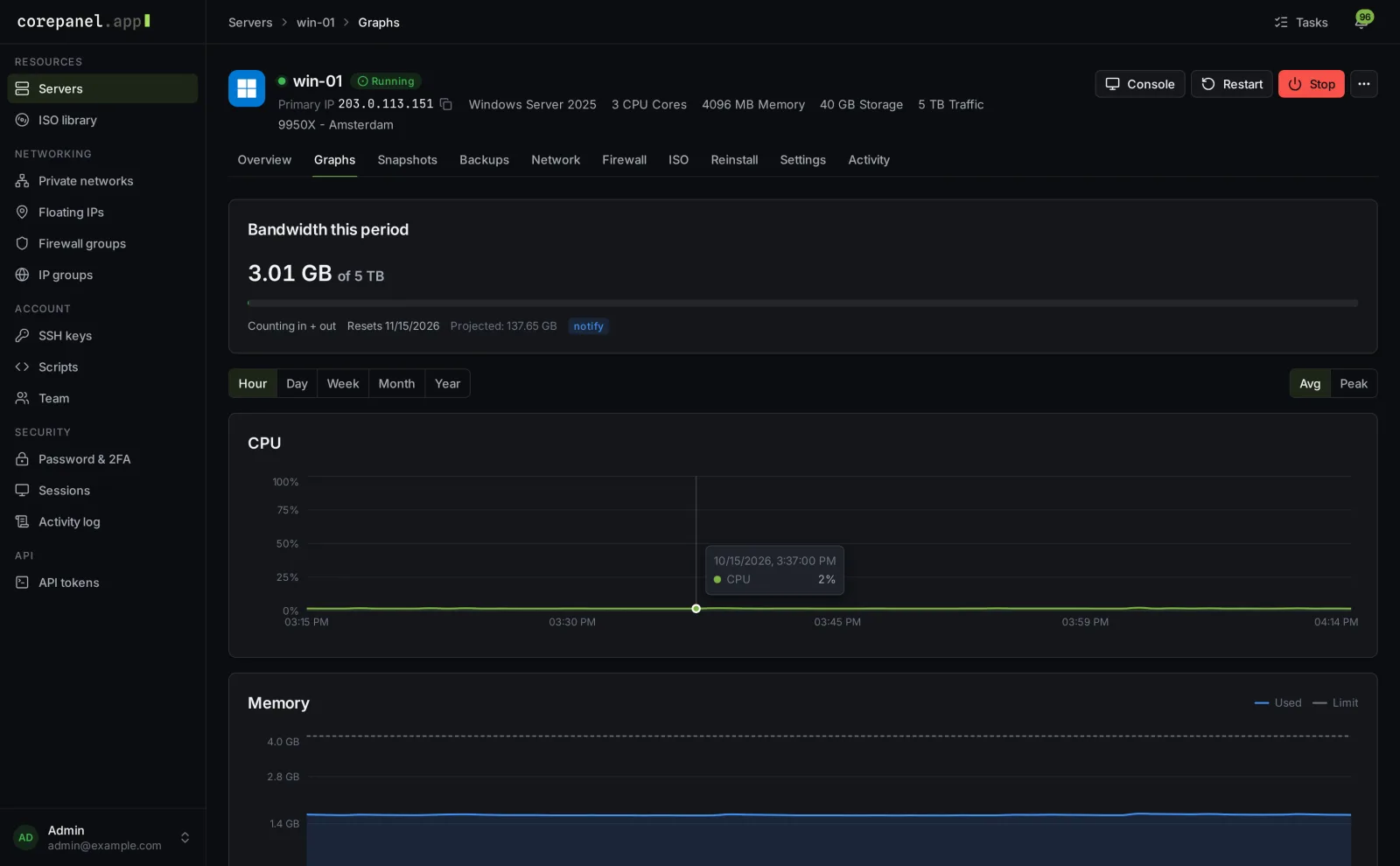
Live usage, bandwidth with a projection for the month, history by the hour or the year, and every action on one page. Fewer tickets for you, faster answers for them.
Graphical and serial consoles open right in the browser for Linux and Windows alike. Paste, keyboard shortcuts and Ctrl-Alt-Del included, and your nodes never face the internet.
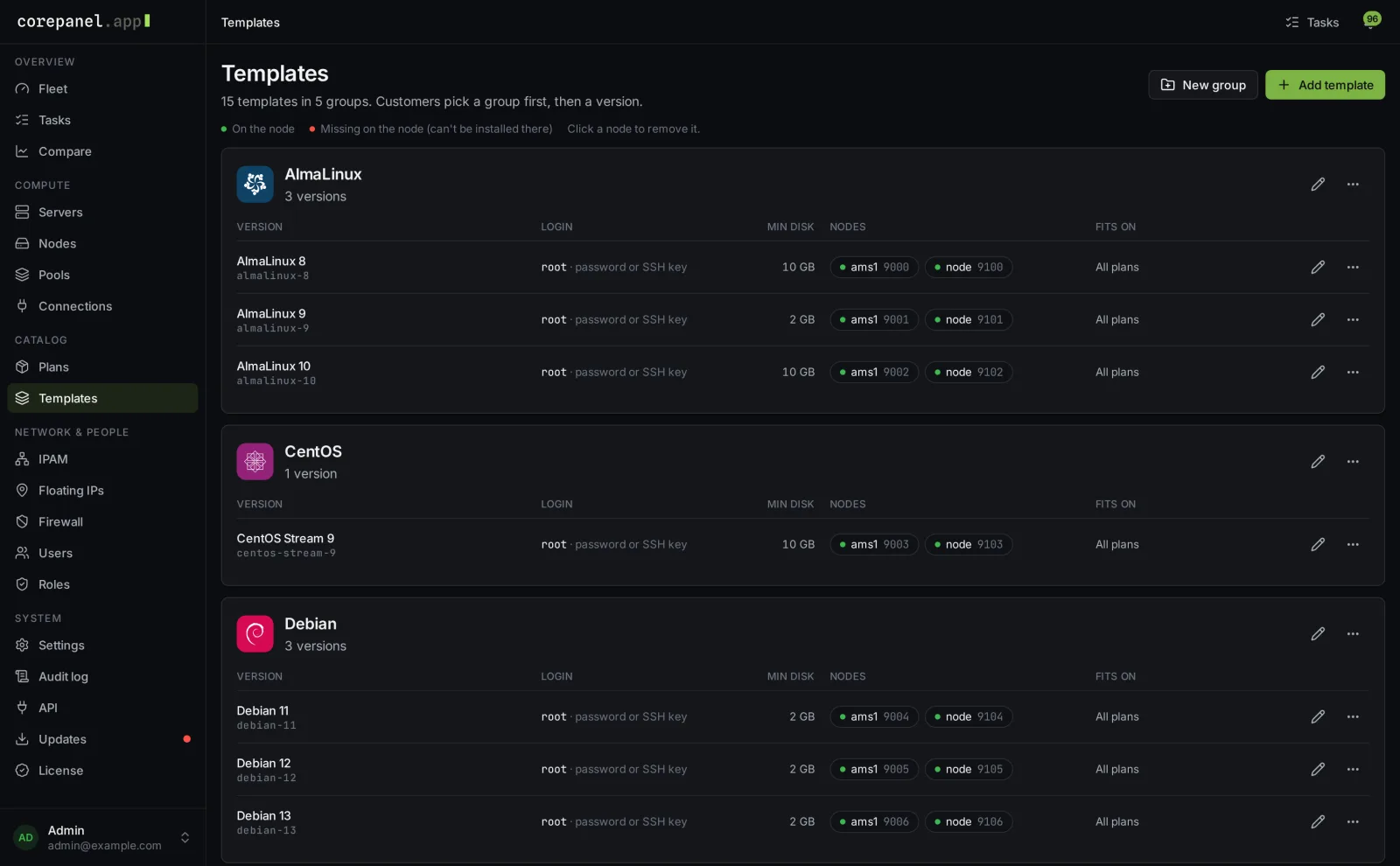
Offer Debian, Ubuntu, AlmaLinux, Rocky, Windows Server and more as tidy groups customers pick from. Want something else? They can install from their own ISO, and you can bring existing machines into the panel as they are.
02Networking
The things customers used to email you about are now buttons in their portal, inside the limits you set.
Customers connect their servers over a private network of their own. The traffic never touches the internet and never counts toward their bandwidth.
An address that moves from one server to another in seconds, for failovers and migrations without a single DNS change.
Connect a supported DNS provider once and every address gets a sensible reverse name automatically. Customers change their own whenever they need to.
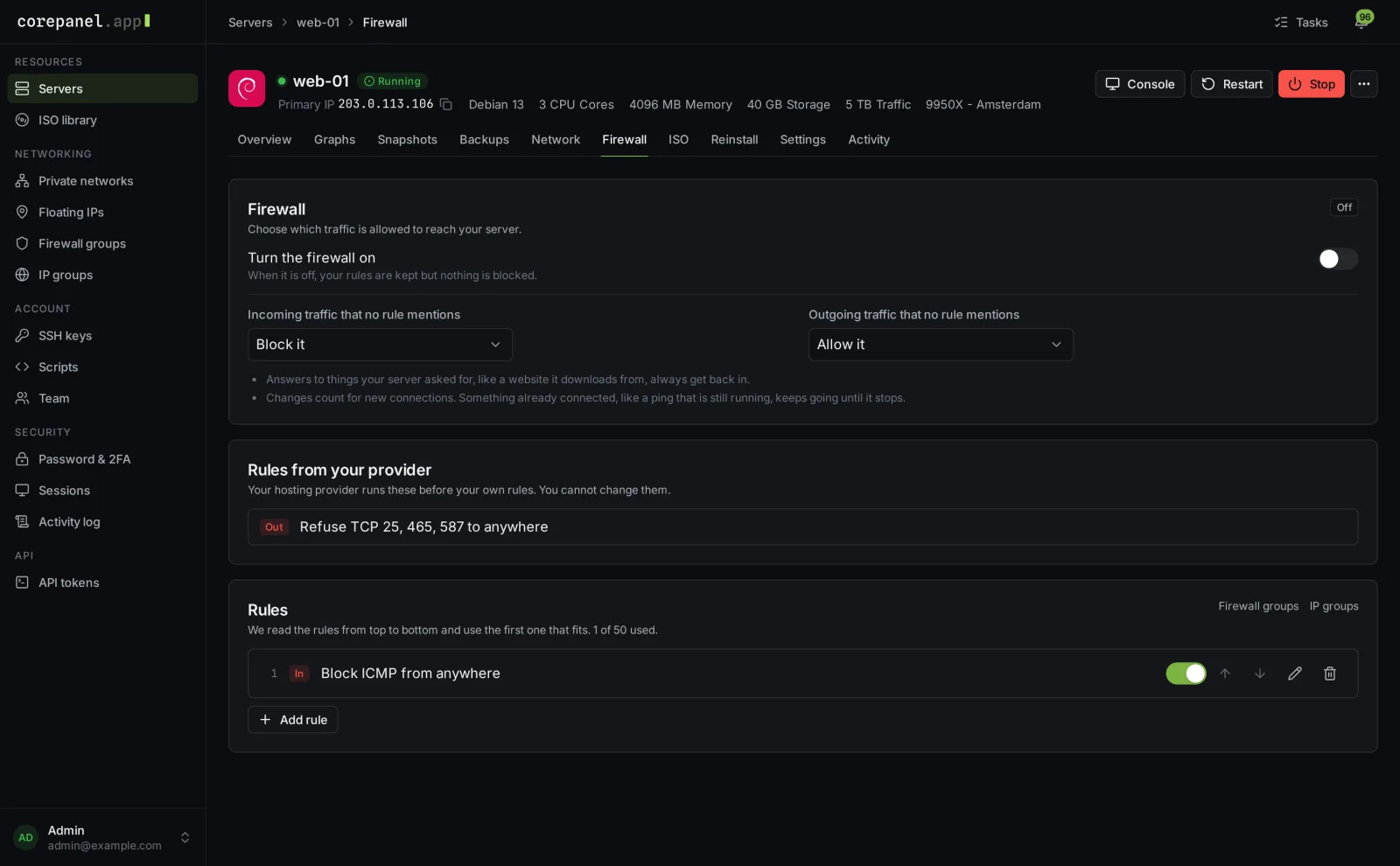
Customers write their own rules per server, with reusable groups for the services and addresses they use everywhere.
Rules you set, such as blocking outgoing mail, apply to every server on a plan before the customer's own. They can see them, but never switch them off.
Hand CorePanel your IP ranges and retire the spreadsheet. IPv4 addresses are handed out, configured and reclaimed for you, IPv6 blocks sit right next to them, and every address keeps its history.
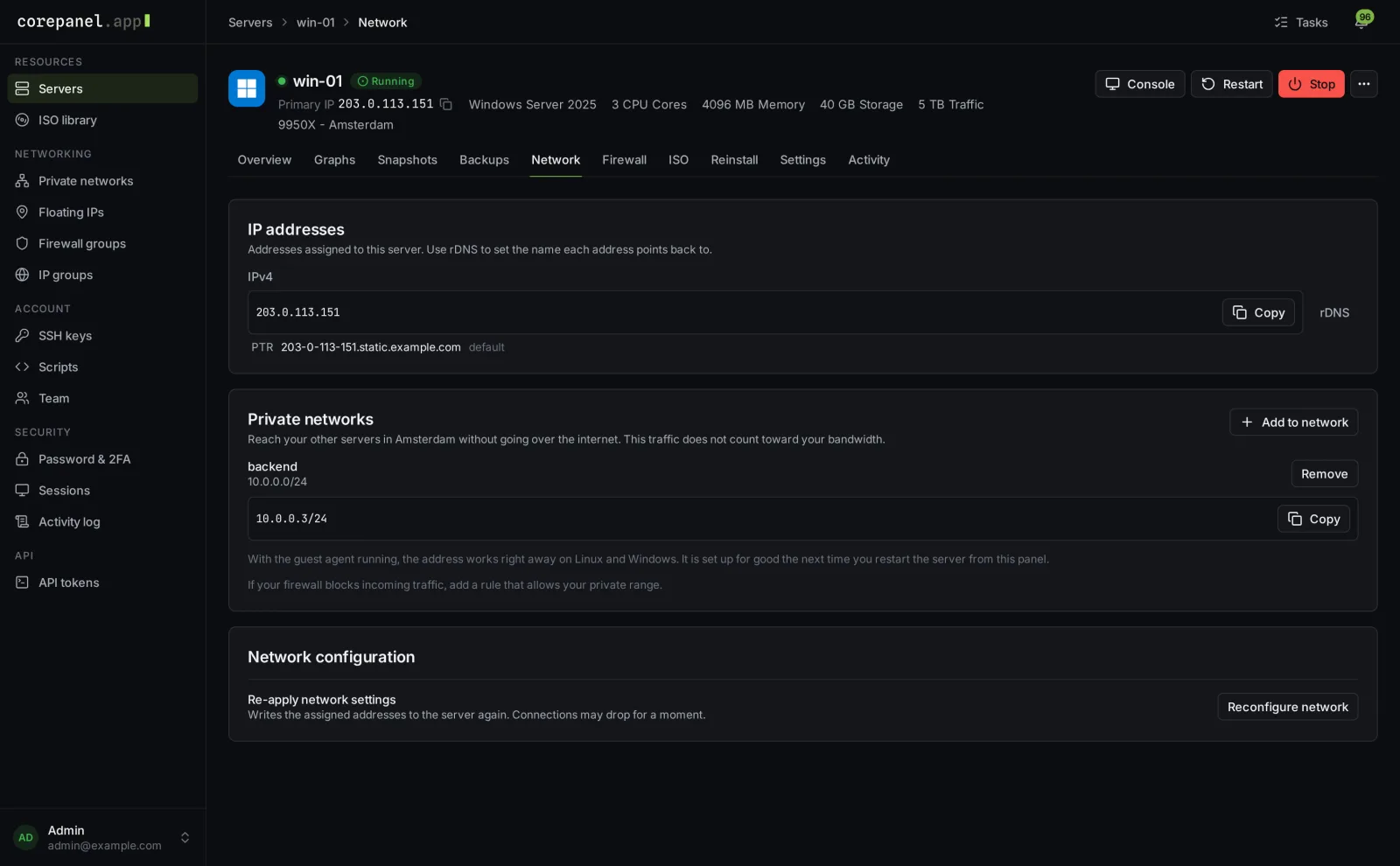
Public addresses with their reverse names, private networks and floating IPs sit together on the server's Network tab. Linux or Windows, a new private address works right away.
Customers decide what reaches their server and in which order. Above their list sit your provider rules, shown to them plainly so nobody wonders why port 25 stays closed.
03Backups
Decide once how much history each plan keeps. CorePanel takes care of the schedule, the clean-up and the restore button.
Daily, weekly and monthly history kept the way you choose, started at night in each location's own time zone. Customers see exactly what they are getting, and it never eats into their own backup slots.
Deleted the wrong config file? Customers open a backup, find the file and download it, without rolling the whole server back.
A safety net for you alone: every server on a node backed up on the node's own schedule, even if the panel is down, and restored onto any healthy node with a guided wizard.
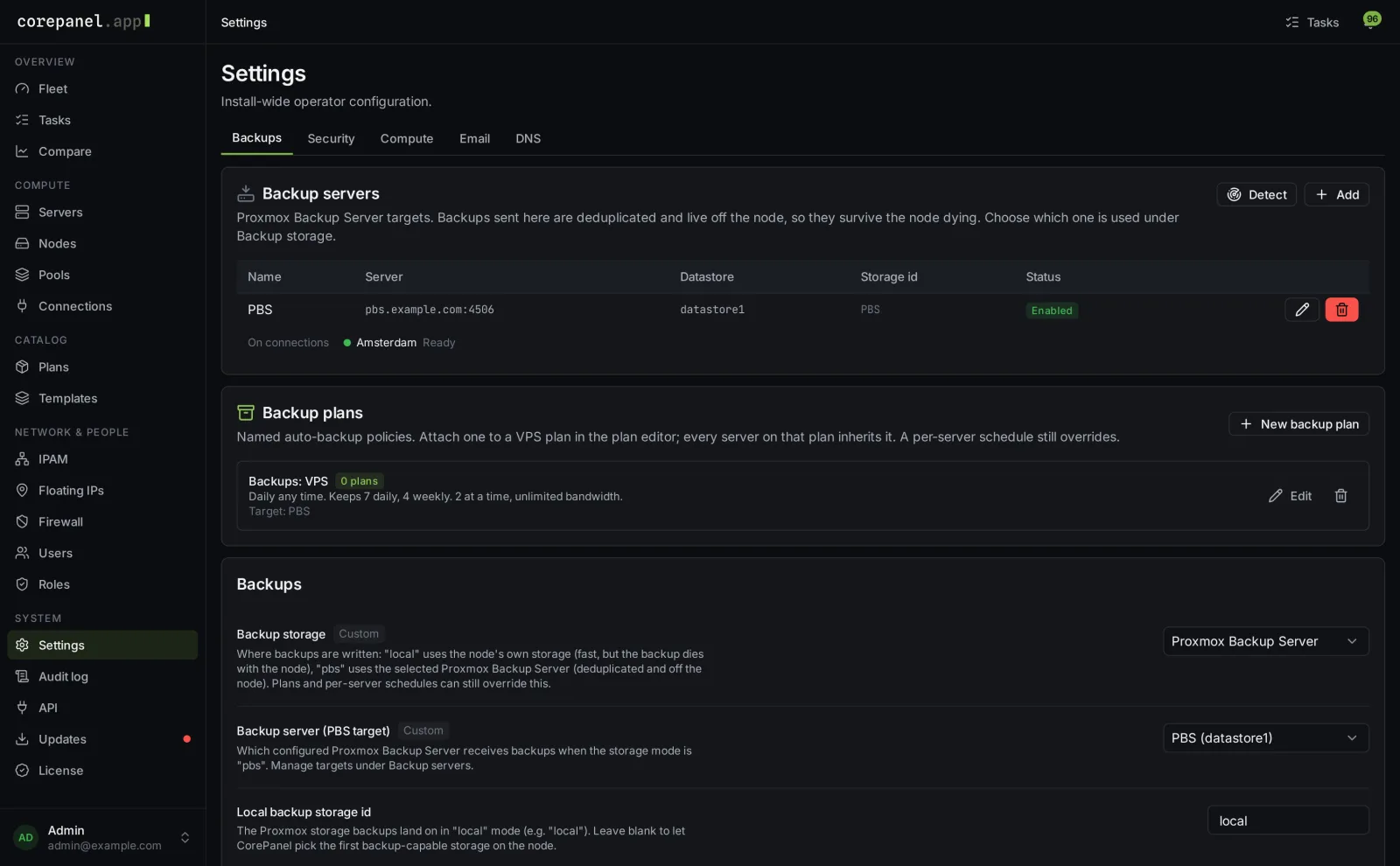
Deduplicated backups that live off the node. Detect the backup server you already run or add a new one, and every cluster gets it automatically.
Backup servers and backup plans live side by side. Attach a plan to a product and every server sold on it is protected from its first night onward.
04Security
Shared infrastructure is only as good as its isolation. CorePanel enforces at the hypervisor, not just in the interface.
The network only answers to the addresses a server actually owns. A tenant who tries a neighbour's IP goes nowhere, and your staff hear about it within minutes.
Keep customers' servers from reaching each other, block rogue network services, and keep private networks truly private.
Staff permissions are deny-by-default and built from roles you define. Require two-factor sign-in for every staff member with one switch.
Staff can see the panel exactly as a customer does, after confirming their own password, a second factor and a reason. Every step is recorded, and customers never see your staff's activity.
The audit log keeps the whole story: who did what, when, and what changed, down to the before and after. Append-only, so history cannot be quietly rewritten.
Credentials are sealed the moment you save them and opened only when they are used. They never appear again in logs, in the API or on anyone's screen.
05Operations
Clusters, capacity and maintenance in one place, so running the platform takes minutes a day instead of evenings.
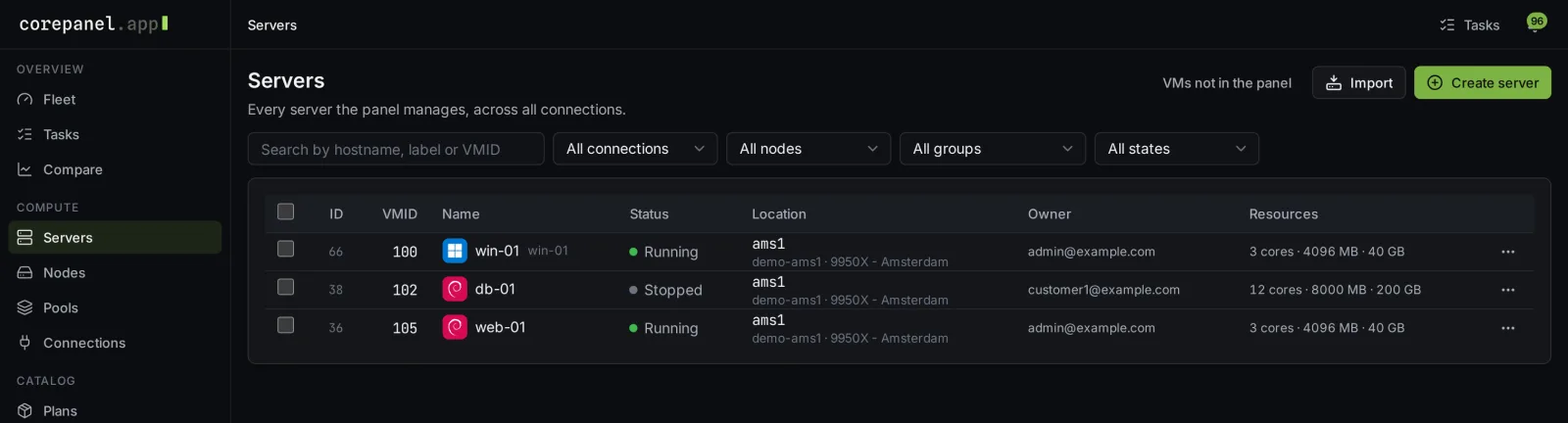
Every server, node and task across every location, with OS logos and live state, and alerts by e-mail when a node or a cluster needs you.
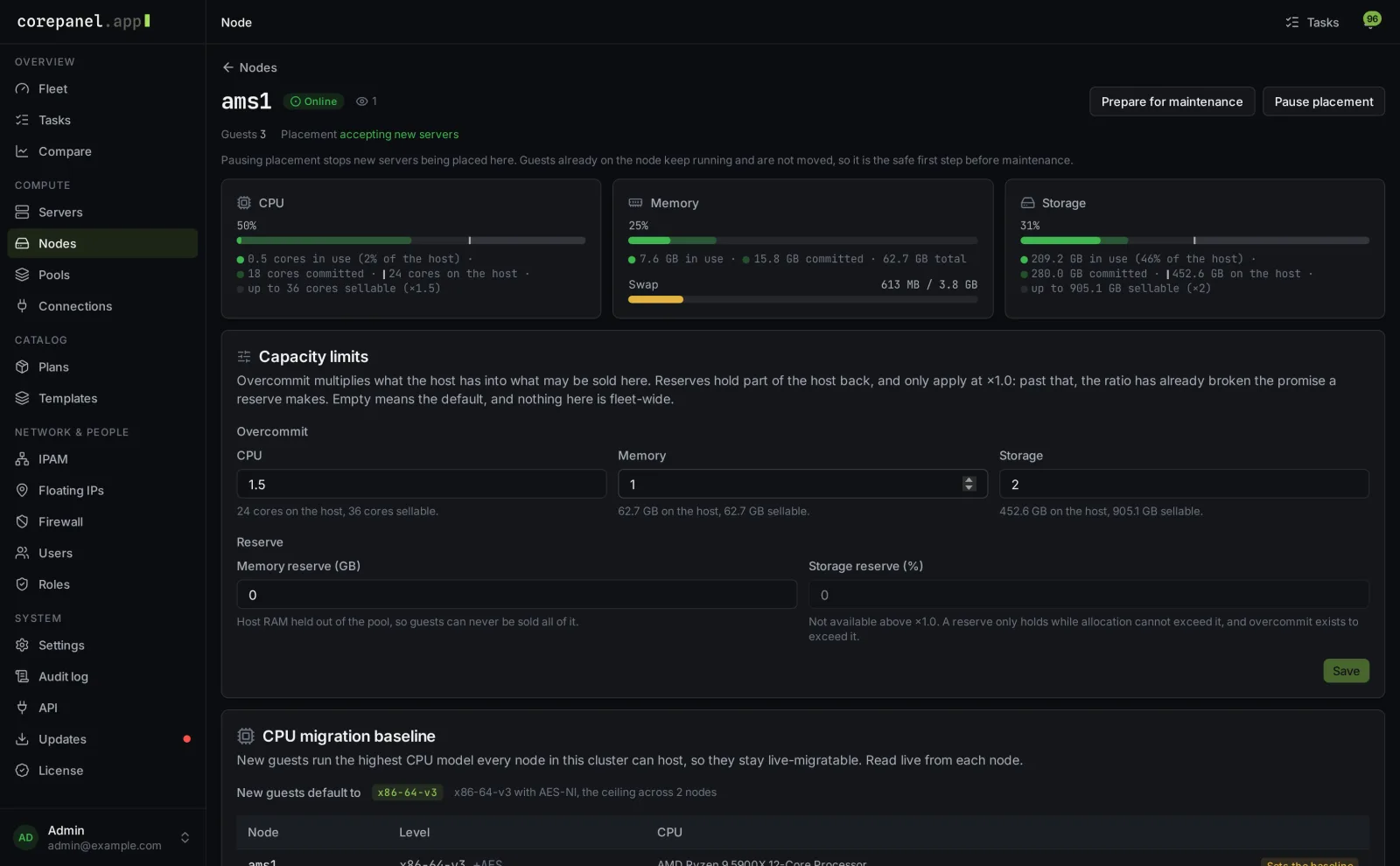
Set how far to oversell CPU, memory and storage per node, so a workstation and a dual-socket server are each sold the right way.
New versions arrive in the panel, are checked before they install and roll themselves back if anything goes wrong.
Working on a node? Stop new servers from landing on it, move the running ones to their neighbours with one click and bring them back afterwards. Customers notice nothing, even across mixed hardware generations.
Switching panels? Adopt the virtual machines already on your cluster or import one from a disk image, and they appear in the panel like any other server.
06Billing
A sale becomes a server without anyone touching the panel. WHMCS works out of the box with our included module, and if you sell through something else, the same API is open to it: your storefront, your billing, your rules.
A customer pays and their server simply appears, with as many addresses as they ordered. Sell with an operating system, or let them pick one at first login.
New customers get an e-mail with a link to choose their password. Returning customers find the new server next to the ones they already have.
Overdue? Suspended and stopped. Paid up? Back online. Cancelled? The server, its addresses and, after your grace period, its backups are cleaned up for you.
A bigger package grows the server, and your billing platform always knows what the panel did and what it still needs.
In the box: WHMCS module · REST API with scoped keys · signed webhooks
07Pricing
Licensed per node, so the price follows your hardware, not your customer count. A node is one Proxmox host your panel manages.
€5/ node / month
excl. VAT · cancel any time
Start your free trial14 days, everything on, no credit card.
08Install
There is no setup project. Paste the command from your dashboard, watch CorePanel build itself, log in. Five minutes after touching a blank server you're looking at your own panel, licence active, ready to sell.
$ curl -fsSL https://corepanel.app/install.sh | bash -s -- --token cpi_…
[corepanel] Panel domain: panel.example.com
[corepanel] Admin e-mail: [email protected]
[corepanel] Installing packages…
[corepanel] Creating the database…
[corepanel] Requesting the TLS certificate…
[corepanel] Activating the licence…
CorePanel installed.
  Panel:     https://panel.example.com
  Admin:     [email protected]
  Password:  shown once, stored nowhere
Your personal install command is waiting in your dashboard, on the trial or on a licence. Create an account to get yours, and see the docs for what your server needs.
Try CorePanel free for 14 days on your own cluster. Questions about volume, reselling or migrations? We're quick to reply.