
Documentation
The customer portal
What your customers get when they sign in, so you know what to point them to and which plan features switch what on.
A server's page
Every server opens on its Overview with live CPU, memory, disk, network and transfer, sign-in details and recent activity. Next to the Console button sit start, stop and restart, with a graceful shutdown, pause and force restart in the menu.
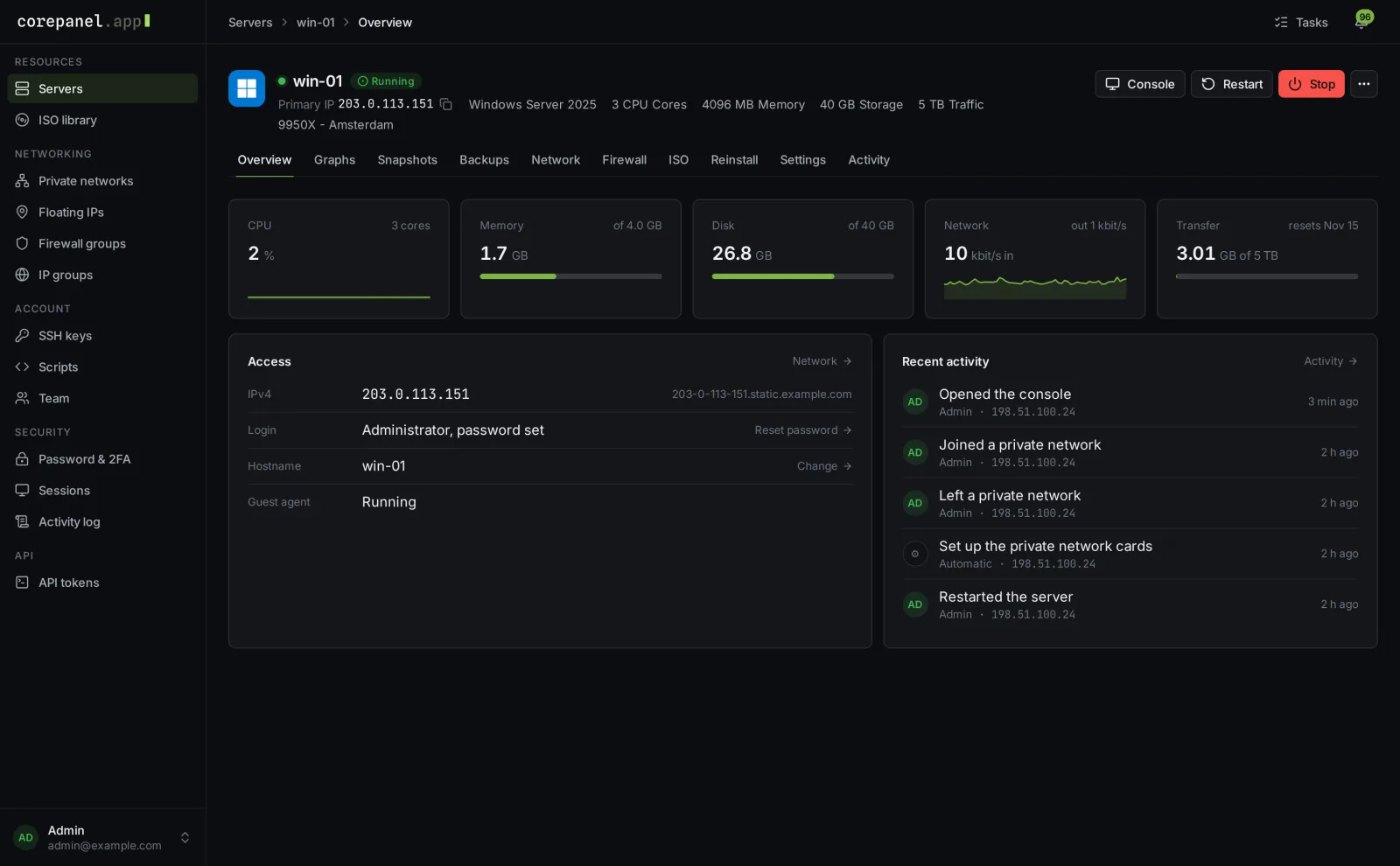
| Graphs | Transfer for the period with a projection, and history from the last hour to the last year |
|---|---|
| Snapshots | Snapshots before risky changes, when the plan allows them |
| Backups | Backups, restores, browsing files inside a backup and the automatic backup schedule |
| Network | Addresses with reverse DNS, private networks and floating IPs |
| Firewall | Their own rules, below the rules you set |
| ISO | Their own ISOs and your ready-made images |
| Reinstall | A fresh system, keeping the same addresses |
| Settings | Hostname, password reset and rescue mode |
| Activity | Tasks, everything done on the server and script results |
What plans switch on
Each plan's features decide which of these customers get, for example Firewall, Scheduled backups and Custom ISO by URL, along with how many backups and snapshots they may keep. Tabs a plan does not include simply don't appear.
Their account
- Password & 2FA: a password of at least 12 characters with upper and lower case and a number, and two-factor sign-in with recovery codes.
- Sessions: every signed-in browser, and a button to sign out everywhere else.
- SSH keys and Scripts for new installs, and an ISO library.
- Activity log across all their servers and their team.
- API tokens for their own scripts.
Teams
Under Account → Team, customers invite colleagues by e-mail and give each one a role:
| Admin | Everything, including managing the team |
|---|---|
| Member | Power, console, settings, backups, restores, reinstalls and keys |
| Restricted | Power, console, settings and backups |
| Power only | Start, stop and restart |
They can also build their own roles, and limit a member to some servers instead of all of them. Everything a member does is recorded under their own name.
What customers never see
Your nodes, their addresses, your clusters and your Proxmox credentials stay on your side. Customers see a location name you choose, their own servers and their own activity, never your staff's.